
Know the best place to start research for your subject
Visit our Study Guides for direct links to the most relevant resources, help and referencing information for your subject.

Referencing guides for your bookmarks bar
Get your referencing right the first time and avoid losing marks with easy-to-follow online guides.

Simon Greiner, UTS Library 2026 Creative in Residence
We're thrilled to welcome Simon Greiner, a Sydney-based artist whose work is driven by imagination, hands-on making, and collaboration. He'll be popping up in his studio outside the Library soon, with creative activities in store throughout the year.

Online
Thu, 23 April 5:30 PM to 6:30 PM
Recent News


Upcoming Events
Apr
16
- Understand the genre of reflective writing in terms of purpose, language and structure
- To learn the essential stages of reflective writing
- Become a reflective practitioner in your current studies and future field
Thu, 16 April 5:30 PM to 6:30 PM
Online
Apr
23
- What is an argument in the academic context?
- What is a strong and sound argument?
- How to evaluate, synthesise and present evidence from your sources
Thu, 23 April 5:30 PM to 6:30 PM
Online
Apr
28
- Strategies for correcting common writing problems, including:
- Sentence structure
- Grammatical errors
- Lack of evidence to support claims"
Tue, 28 April 10:30 AM to 11:30 AM
CB01.05.01
Apr
29
- Report types
- Reports vs essays
- Report structure and components
- Use of tables and figures Appendices
Wed, 29 April 12:00 PM to 1:00 PM
Online
Apr
30
- What is plagiarism and academic integrity?
- Strategies for avoiding plagiarism
- Resources for developing academic writing skills
Thu, 30 April 5:30 PM to 6:30 PM
Online
May
4
- Understand the genre of reflective writing in terms of purpose, language and structure
- To learn the essential stages of reflective writing
- Become a reflective practitioner in your current studies and future field
Mon, 4 May 4:00 PM to 5:00 PM
CB01.05.01
May
7
- How to structure a presentation
- Effective use of visual aids
- Targeting your audience
- Use of body language and non-verbal communication
Thu, 7 May 5:30 PM to 6:30 PM
Online
May
11
- How to revise and prepare for your exams
- Different exam question types and how to answer them
- How to plan strategically so you can perform well in exams"
Mon, 11 May 4:00 PM to 5:00 PM
CB01.05.01
May
14
- How to revise and prepare for your exams
- Different exam question types and how to answer them
- How to plan strategically so you can perform well in exams"
Thu, 14 May 5:30 PM to 6:30 PM
Online
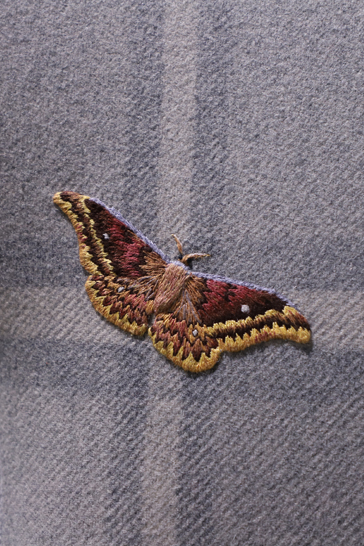
Creative in Residence Program
Learn about this innovative program and view the work of previous creatives who have enriched Library spaces and services.